Filter Redesign for an employee time tracking tool
How a confusing multi-select filter caused date ranges to reset unexpectedly — and how a new interaction model fixed it without adding complexity.
Process:
User Research
UX Design


Problem - Unpredictable filter
The tool's Timecards screen lets workforce admins filter employee time data by department, team, and date range. The clients were raising consistent complaints regarding it behaviour .
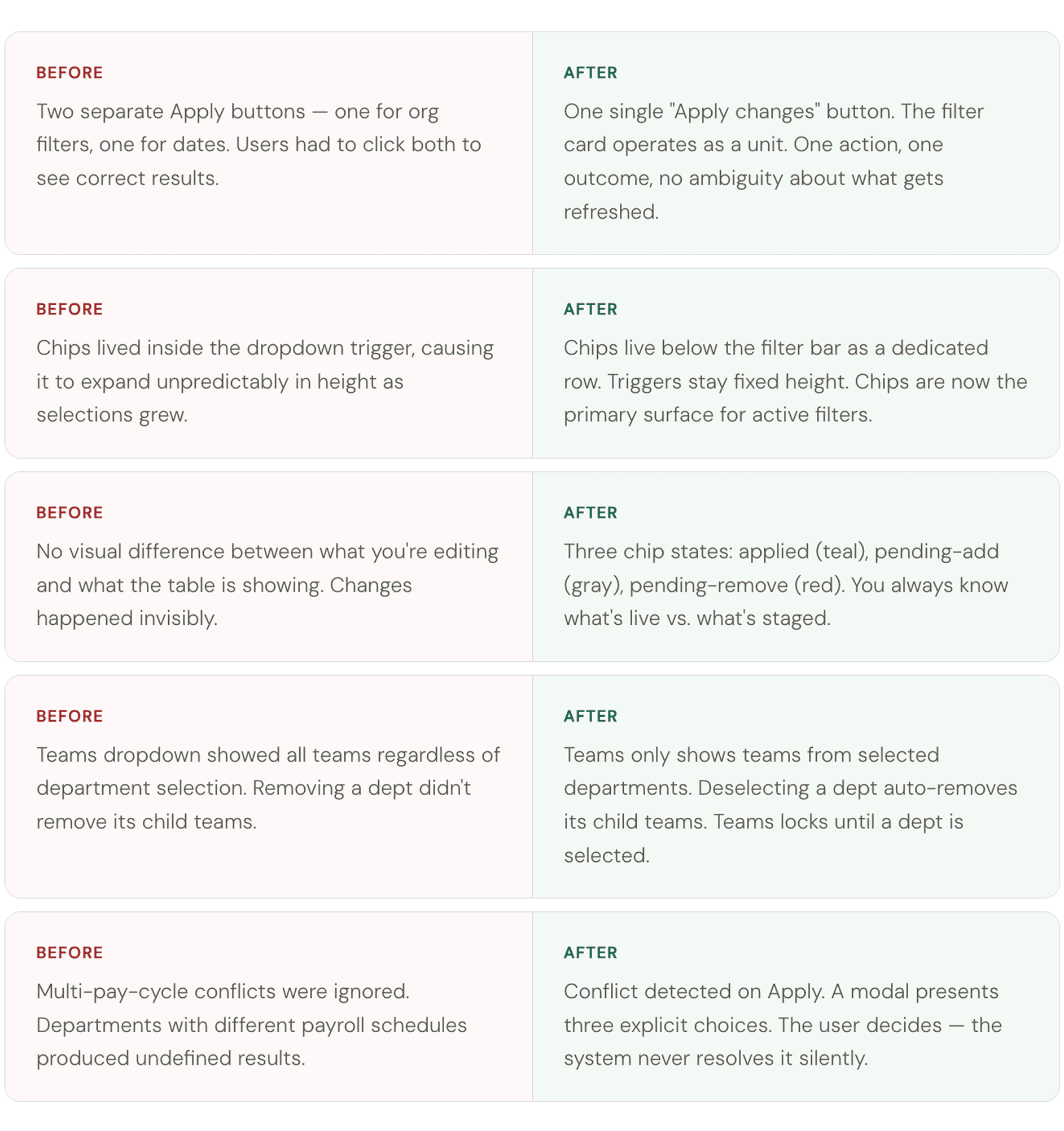
When admins adjusted department selections, the date range would silently reset. There were two separate Apply buttons with no clear explanation of which controlled what. The expanding multi-select dropdowns showed chips inside the trigger itself, making the control feel unstable.

Goals & Requirements
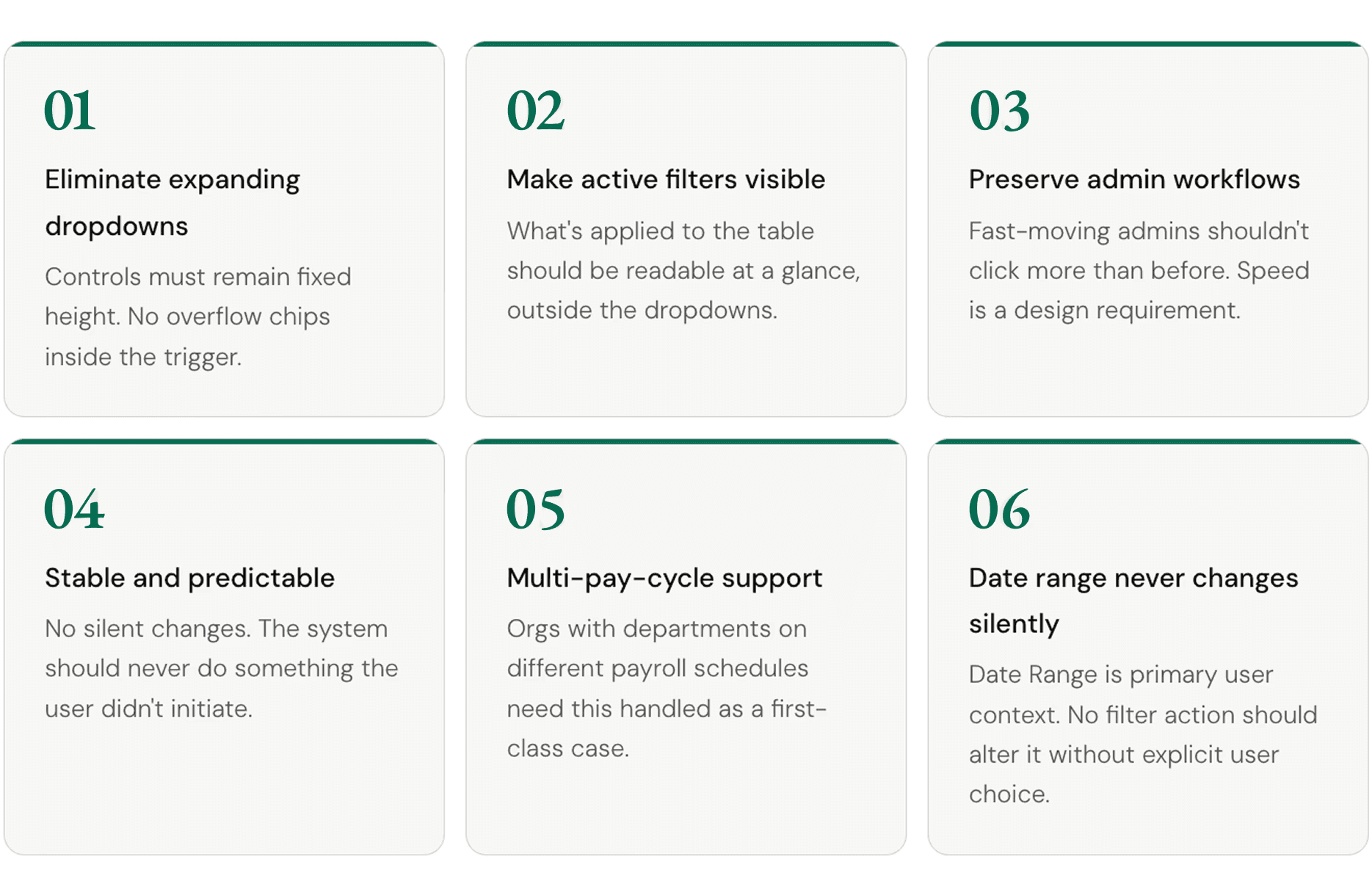
Before touching any UI, goals were defined with the client. Each became a test for every decision in the redesign — any solution that violated one was reconsidered.
Design
Every change was a deliberate trade-off
The redesign was about replacing implicit, broken behaviour with explicit, understandable behaviour and giving control and predictability.
Chip Pending States
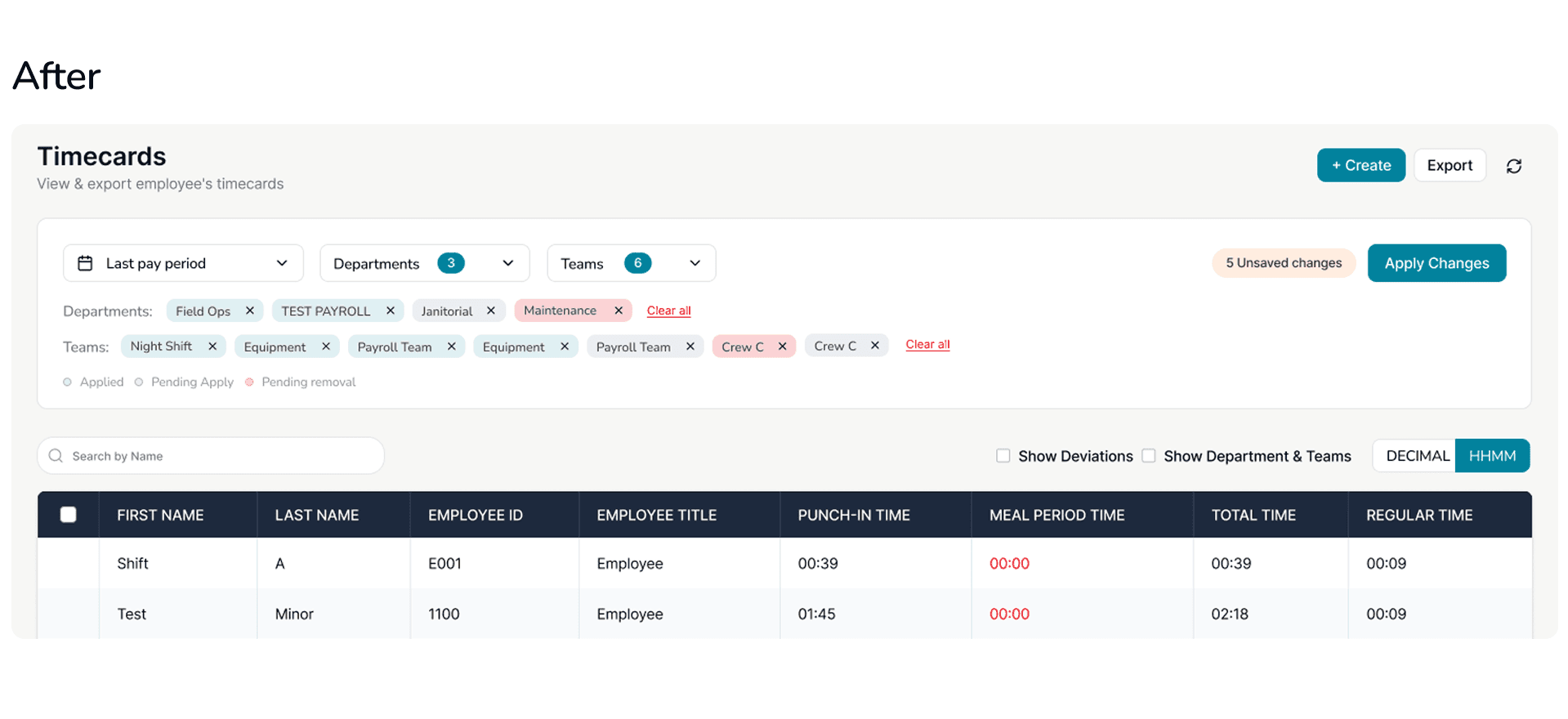
Because filter changes don't refresh the table immediately, the chips carry the job of showing what's staged vs. what's live. Three distinct visual states, clear at a glance.

Removing a Department chip instantly cascades — all child Team chips disappear with it. This immediate feedback happens without requiring Apply, because it's information the user needs right away.
Filter dropdowns

Multi-Pay-Cycle (Edge Case) Conflict
Some organisations have departments on different payroll schedules — weekly contractors alongside semi-monthly permanent staff. Selecting both creates genuine ambiguity about which date range applies.
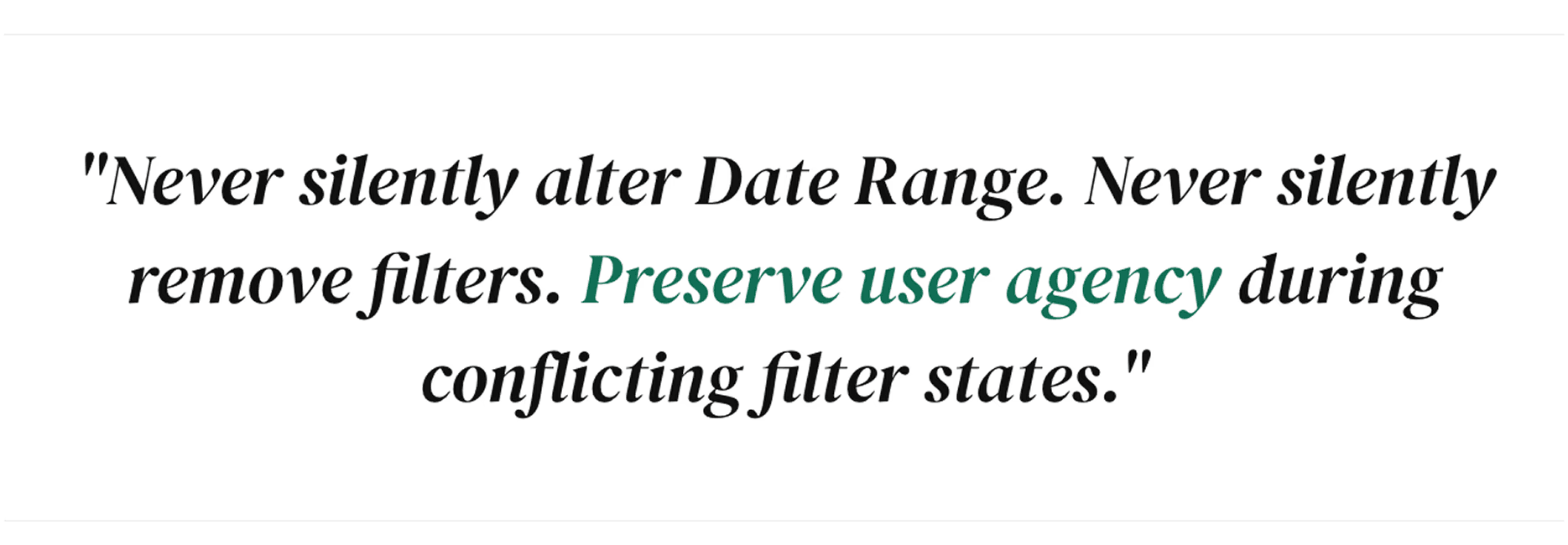
Automatically picking one would silently change the date range or remove filters — exactly what the design principles forbid. The right answer is to surface the conflict and let the admin choose.
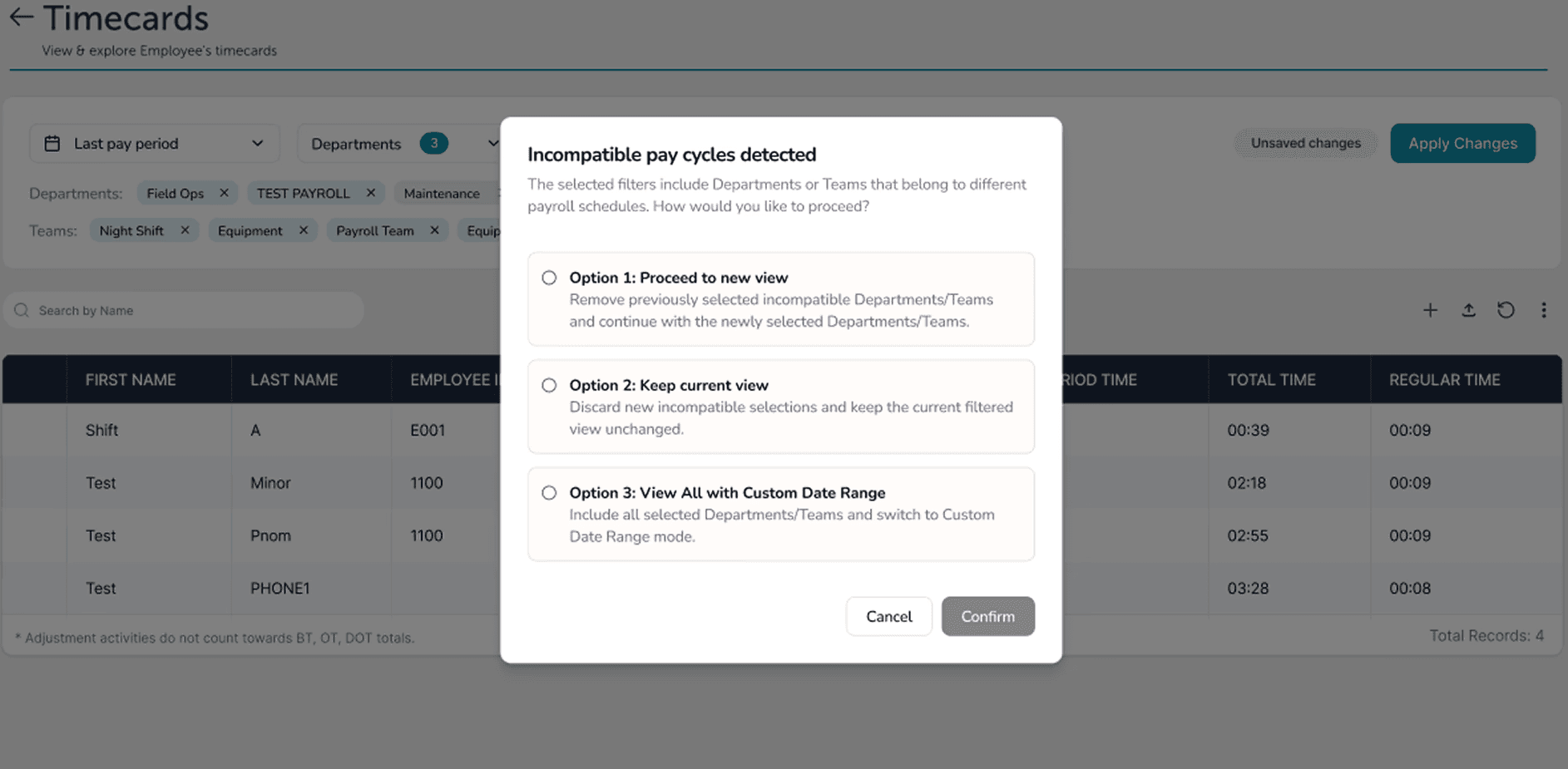
The conflict check only fires when the user clicks Apply — not during selection. Single-pay-cycle organisations never see this modal at all.
Learning and Reflections


